Workspaces
Organizing your data within workspaces
Introduction
A workspace is the directory where all configuration is stored. The default directory for this is ~/.xpipe. When it comes to organizing your connection data for multiple organizations, projects, clients, and more, workspaces can become relevant to guarantee a proper separation for your data.
Separation within a workspace
Whether you need a separate workspace depends on your needs. It might be sufficient to just create multiple separate categories to store connection information in.
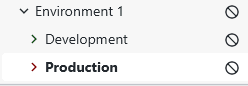
A common setup for categories is to separate each environment into, for example, development and production. In the production category, you can then configure that all modifications should require confirmation and that scripts are disabled for connections. This reduces the number of possible mistakes.
As a visual indicator, you can assign different category colors for production and development environments. These colors are then shown for all connections of that category, both in the file browser and in the terminal (if supported).
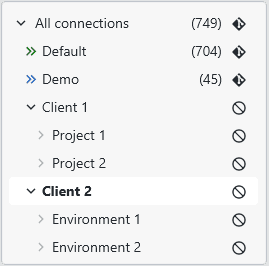
If you have multiple clients and want to separate everything, partitioning the top-level categories with all the different clients also makes sense:
Separation with multiple workspaces
To create a new workspace, navigate to Settings -> Workspaces. There you can see an overview overall existing workspaces and the option to add new ones. Clicking on an existing workspace will launch it.
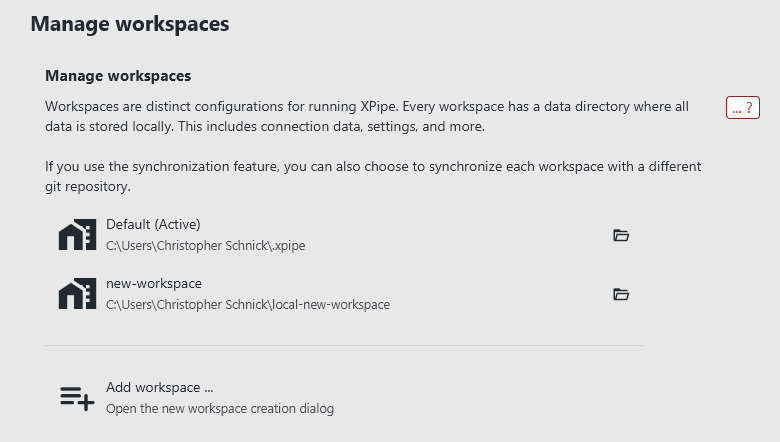
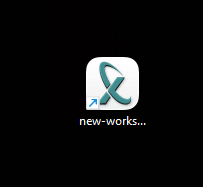
When creating a new workspace, you have to choose the target directory and a name. The new workspace will then be added to the list. The creation process also creates a desktop shortcut for the workspace with which you can launch XPipe in the new workspace directly:
When a new workspace is launched, it is completely empty. Nothing is migrated from other workspaces to guarantee a proper separation. This means that you will to reenter such things as a license again. This strict separation allows you to use separate licenses, e.g. a Professional license for your workplace and a Homelab license for your own personal workspace.
Test build workspaces
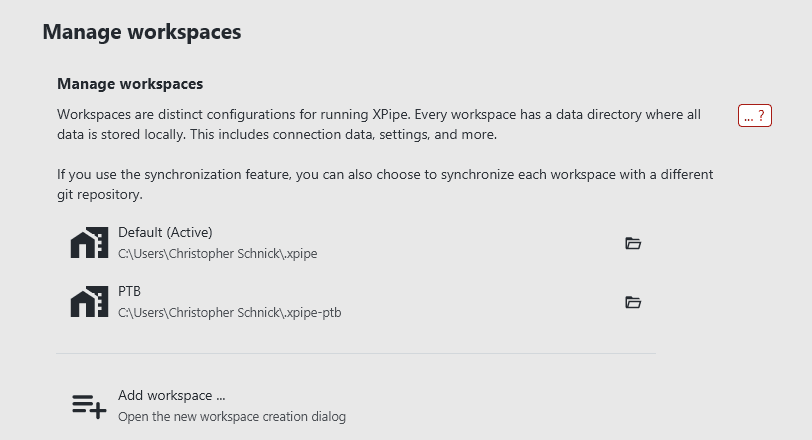
If you are using a public test build (PTB) from https://github.com/xpipe-io/xpipe-ptb, this build will use a separate workspace at ~/.xpipe-ptb to prevent any issues with your regular release data. This location is automatically added to the workspaces menu, meaning that you can still use the regular release workspace ~/.xpipe or others from the PTB.
Navigating to the workspaces category in the settings menu in the PTB should show other available workspaces like ~/.xpipe. When clicking on it, you can launch the regular workspace with the PTB build: