
Hetzner cloud
Accessing your hcloud systems
Introduction
XPipe supports connecting to your Hetzner cloud account. You can add the Hetzner integration at New -> Cloud ... -> Hetzner Cloud. The integration works on top of the official hcloud CLI, which allows it to automatically parse existing configuration data and tokens from your local system.

Contexts
In the hcloud CLI, a context represents a certain environment with a specific API token. This allows you to switch between multiple different Hetzner accounts, environments, etc. while using the CLI. XPipe uses the existing contexts of the CLI.
If you already have configured hcloud CLI on your system, your contexts should show up automatically. If you haven't done this, you will be prompted to enter a token for the default context that will be created for you:
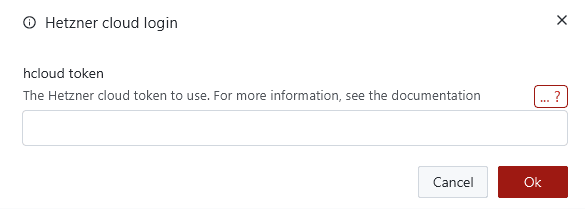
If you create another context on the CLI and refresh the entry in XPipe, the additional contexts will show up:

For more information, see the hcloud docs on how to handle contexts.
Synchronization
As the integration works through the hcloud CLI, this means that initially, all configuration data like API tokens are stored locally in the CLI tool config. XPipe does not store any of the data itself.
If you want to sync your Hetzner Cloud connections across multiple devices or share them with other team members, you can sync the config file by pressing the sync button:

Then, pressing the git button will move the config file into the git repository directory and synchronize it:
