Tailscale
Accessing your tailscale systems
Introduction
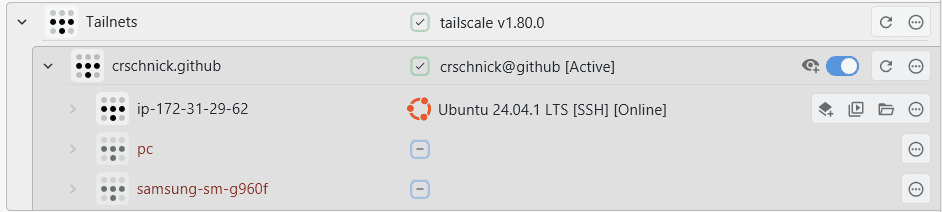
XPipe supports connecting to your systems that are added to your tailnet in Tailscale. For that it uses the tailscale commandline tool. Searching for available connections on the local system should make tailscale connections show up if the tailscale tool is added to the PATH on that system. If you have not installed the tailscale tool, you can find installation instructions here.
Daemon
The local tailscale daemon application must be running for the integration to work. If it is running, it will typically show up in the system tray. If it is not running, you can quickly start the Tailscale application, that will also start the daemon.
Tailnets and accounts
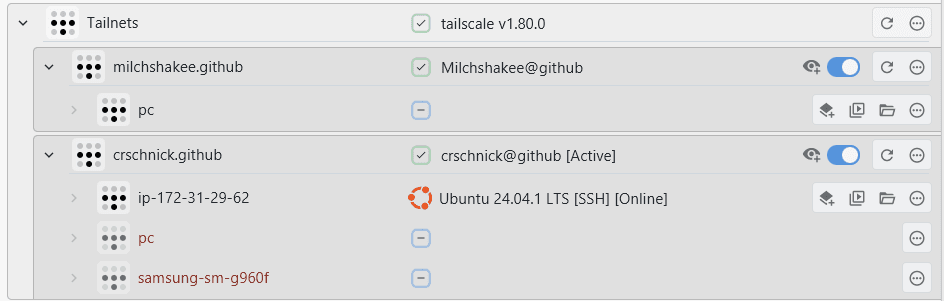
You can add multiple accounts to your tailscale client at the same time without having to log out of one. Every account represents a different tailnet and set of connections. You can find instructions for that here. XPipe will detect all available accounts and tailnets on the system automatically. It will automatically switch the active tailnet when you establish a connection to a certain tailnet.
Refreshing connections
XPipe can automatically refresh all available connections by clicking on the refresh button. This is useful if you recently added or removed systems from the tailnet. For the refresh to succeed, you need to be logged in into your tailnet and your login must not be expired. If you are not logged incorrectly, you will get an error message about that or a login window will pop up automatically.
Tailscale authentication
You have the choice between two different authentication methods. Either normal SSH auth, where you have to provide your passwords / keys to authenticate, or tailscale auth.
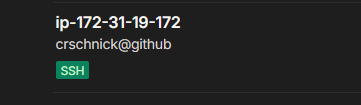
The integrated Tailscale authentication, which is available with the Tailscale SSH feature, is a feature where the tailscale daemon also handles authentication and authorization of SSH on your systems. It is a step-up compared to the normal VPN functionality. Any systems that should use this functionality must be added to the tailnet via tailscale up --ssh. They will show up with the SSH tag if added correctly:
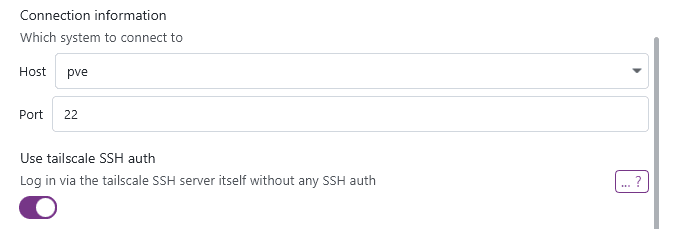
You can control which authentication method to use when configuring the tailscale device: