
Podman
Accessing your podman containers
Introduction
XPipe supports connecting to and managing your podman containers on any local or remote system. For that it uses the podman commandline tool. Searching for available connections on a system should make podman containers show up if the podman tool is added to the PATH on that system.

Daemon
The podman daemon must be running for the integration to work. If it is not running, you have to start the podman daemon service first. Since podman is designed to be rootless, you won't need to worry about root permissions as with most other container integrations.
Quadlets
The podman integration supports quadlets, which are essentially a way to manage containers declaratively using systemd. Any container that is associated with a systemd service will show the unit file name and a button to edit this file:
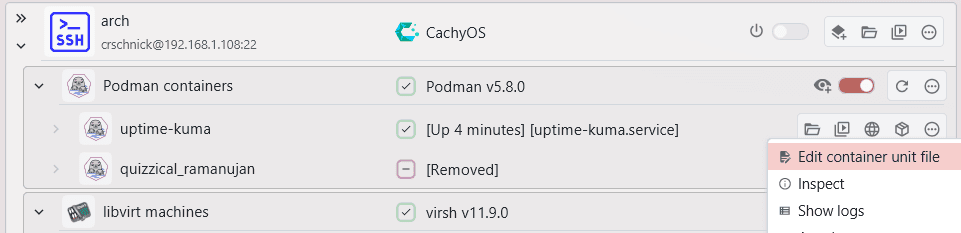
Podman containers are not automatically removed from XPipe upon refresh if they no longer exist as quadlets often destroy and recreate associated containers. A container shown as removed might become available again if the associated systemd service has started up.
A quadlet that is stopped or restarted in XPipe will automatically stop or restart the associated systemd service instead of the container itself. This guarantees that the state of the container and service is properly updated.