
LXD/incus
Accessing your LXD/incus containers
Introduction
The LXC integration is essentially an integration for both LXD and incus. For other LXC-based integrations, such as Proxmox, see their respective integration guide.
The integration uses the incus and lxc command-line tools. Searching for available connections on a system should make LXD and incus connections show up if they are installed on that system. Both simple containers and VMs are supported, and XPipe does not differentiate between these two types in any way.
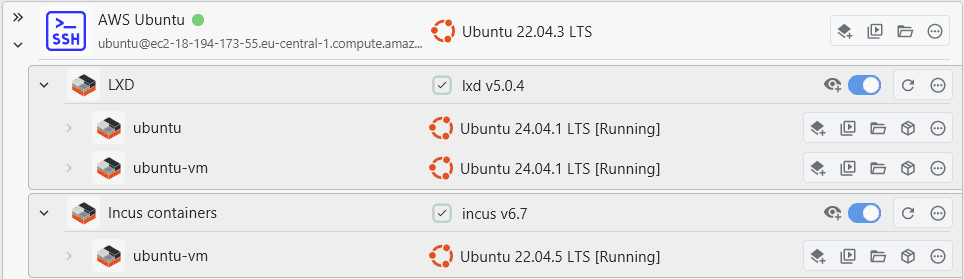
Privileges
Whether or not the integration requires the root user to interact with the respective daemon depends on your individual setup, in most cases, whether your user is added to the authorized lxd / incus-admin groups or not. If your user is not a member of that group, root is required. Both rootless and root variants are supported, and XPipe will prompt you for your sudo password if needed. For more information, see the incus documentation on access to the daemon.
Networking
LXD/incus containers support networking with the host, which is a step-up to other types of containers like docker. If the container is configured for networking, XPipe will try to detect the IP address of the container that is reachable from the outside. Any detected IP address is shown for the entry:

If the networking is configured, this allows XPipe to utilize it for the supported networking features like services where you can open and tunnel any kind of service running on the container.
Configuration
In the context menu for containers, you have the option to edit the container configuration file:
